Welcome! Before we begin with new employee onboarding, let’s make sure that you have everything that you need to begin.
As a company, we make use of Google Drive, Google Docs, and other various Google products, including Google Groups.
We require all employees to have their own personal Google Account that will be used to access shared documents and files within the company.
Your Gmail address will also be shared with clients for communication and planning for events.
If you do not have a professional looking personal Google account, please create a new account. It should contain some combination of either your full name, or first name & last initial, or first initial & last name, and may contain “prosound” or “dj” if more generic name combinations are unavailable.
Acceptable professional looking account names (for John Doe):
Undesirable account names:
Before your orientation, please fill out the Employee Onboarding Form so that we can create your account in our planning system.
It also speeds up the Orientation if you already have completed your W4 tax forms. We recommend using a desktop or laptop computer to make uploading the W4 documents easier.
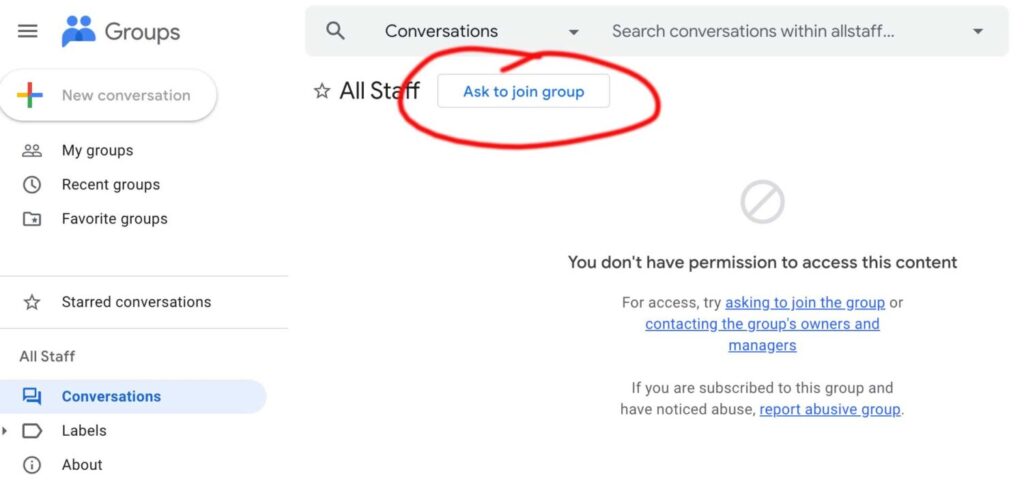
Once we approve your request to join the “All Staff” Google Group, you will be able to access the Employee Site with employee handbook & resources. We will go over the handbook during your orientation.
Contact Us: Our full-time office staff are available 9 a.m.–5 p.m. Monday–Friday
Email:
info@pro-1.com
Main Office Address:
350 Garfield Ave STE 5 Duluth, MN 55802
Call Us:
Toll Free: (888) 347-5562
Minneapolis/St Paul
St. Cloud
Brainerd
Duluth: (218) 722-1355